Introduction
Project Overview
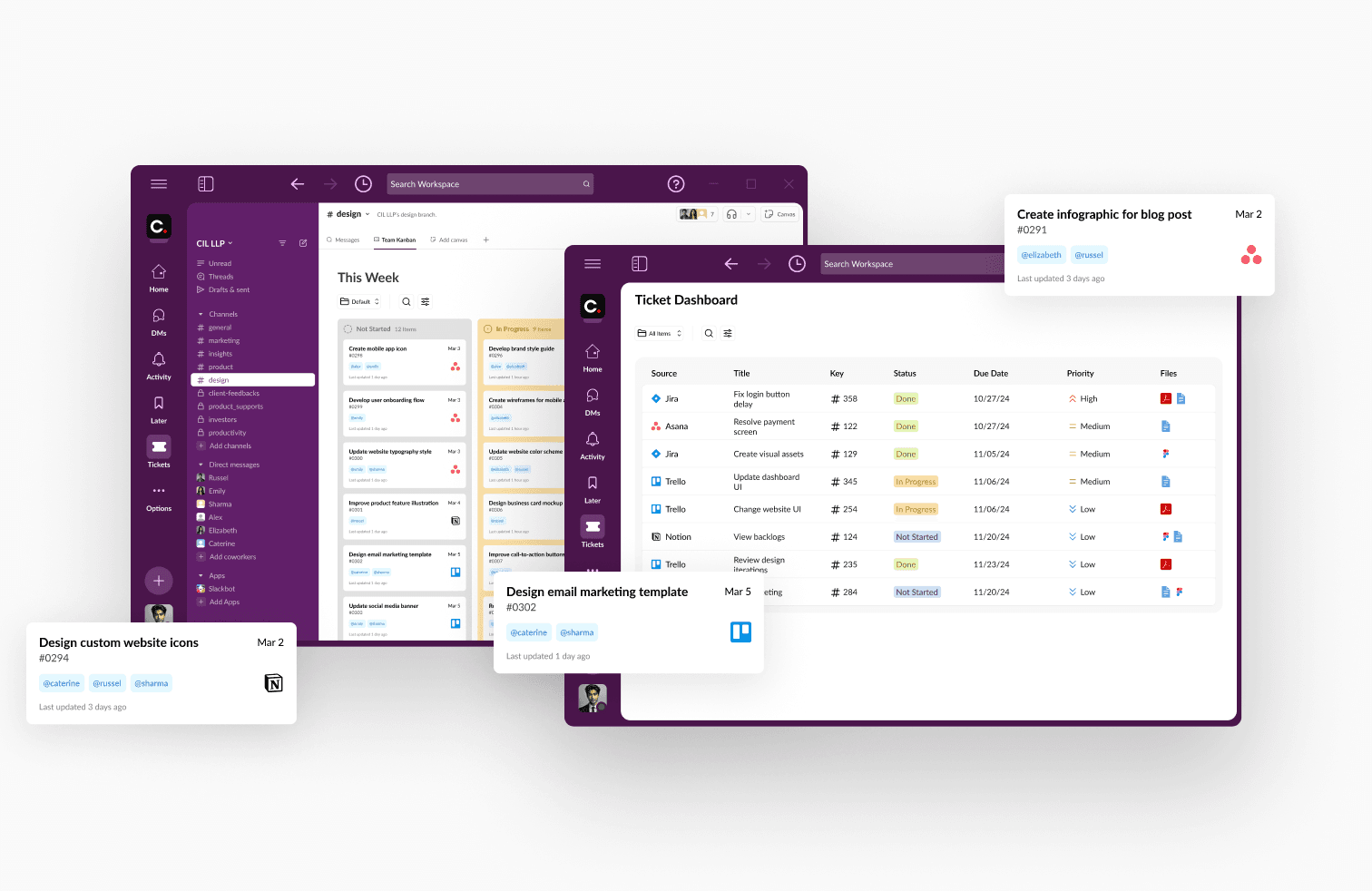
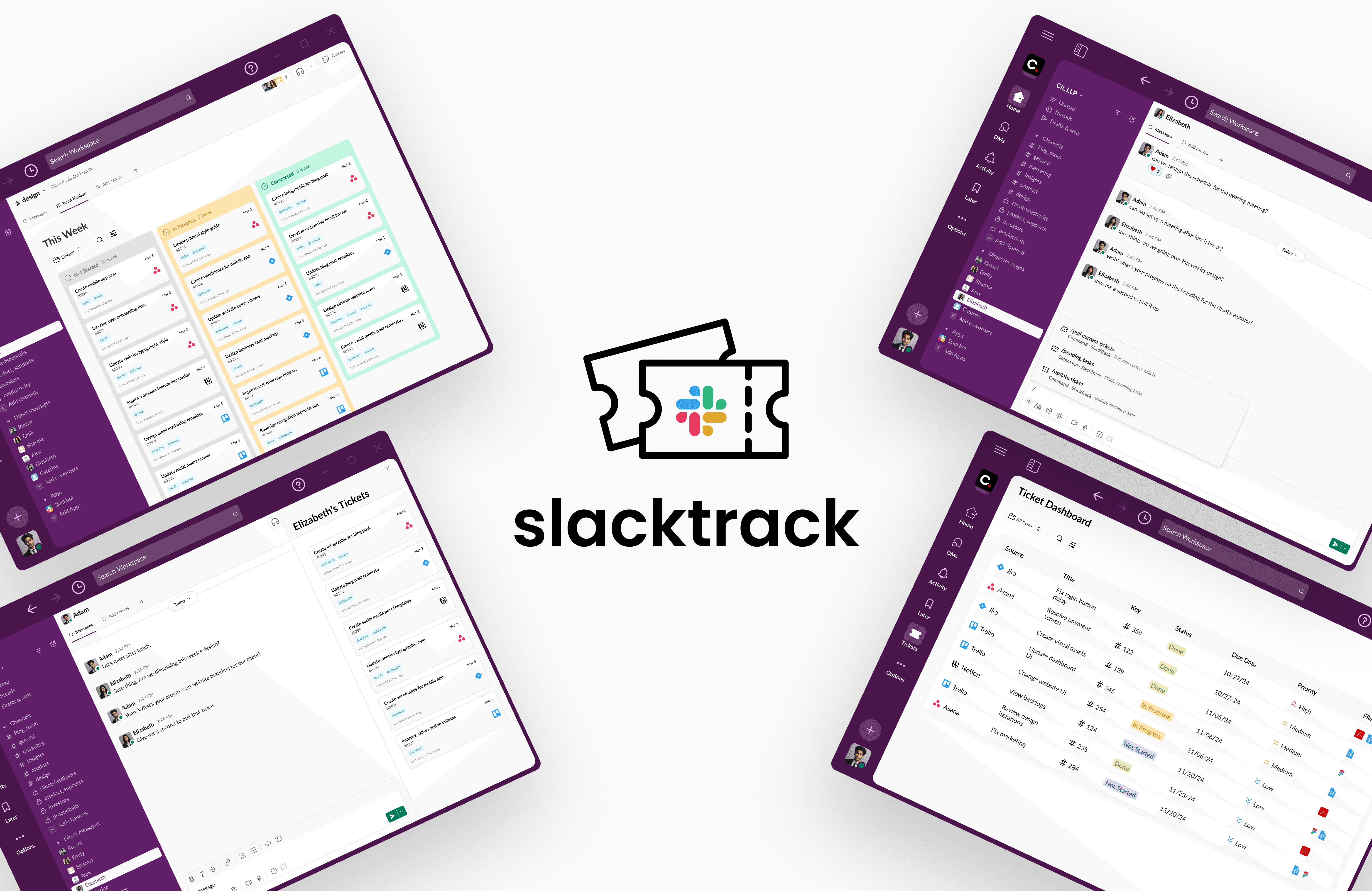
SlackTrack is an extension of Slackbot integrated to assist users in managing tasks from leading project management tools directly within their Slack workspace. The project was collaboratively designed as part of the COGS 127: Data-Driven UX/Product Design course at UC San Diego.
Problem Statement
Project managers face challenges in efficiently tracking tasks when tickets are scattered across various tools. The lack of a centralized source of truth causes miscommunication, delays, and ineffective time management as teams search for updates, ultimately impacting productivity and slowing project momentum.
Our Solution
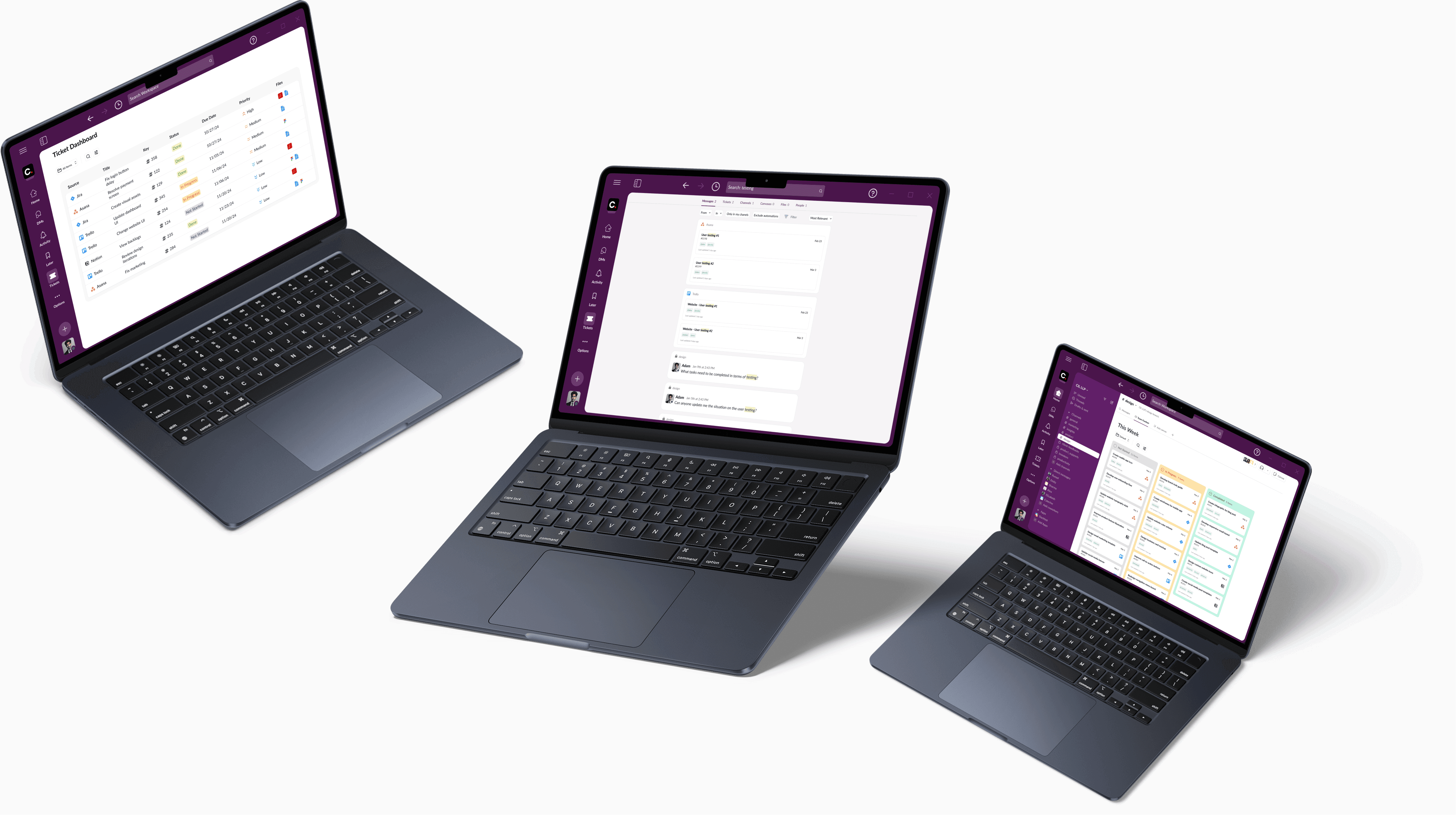
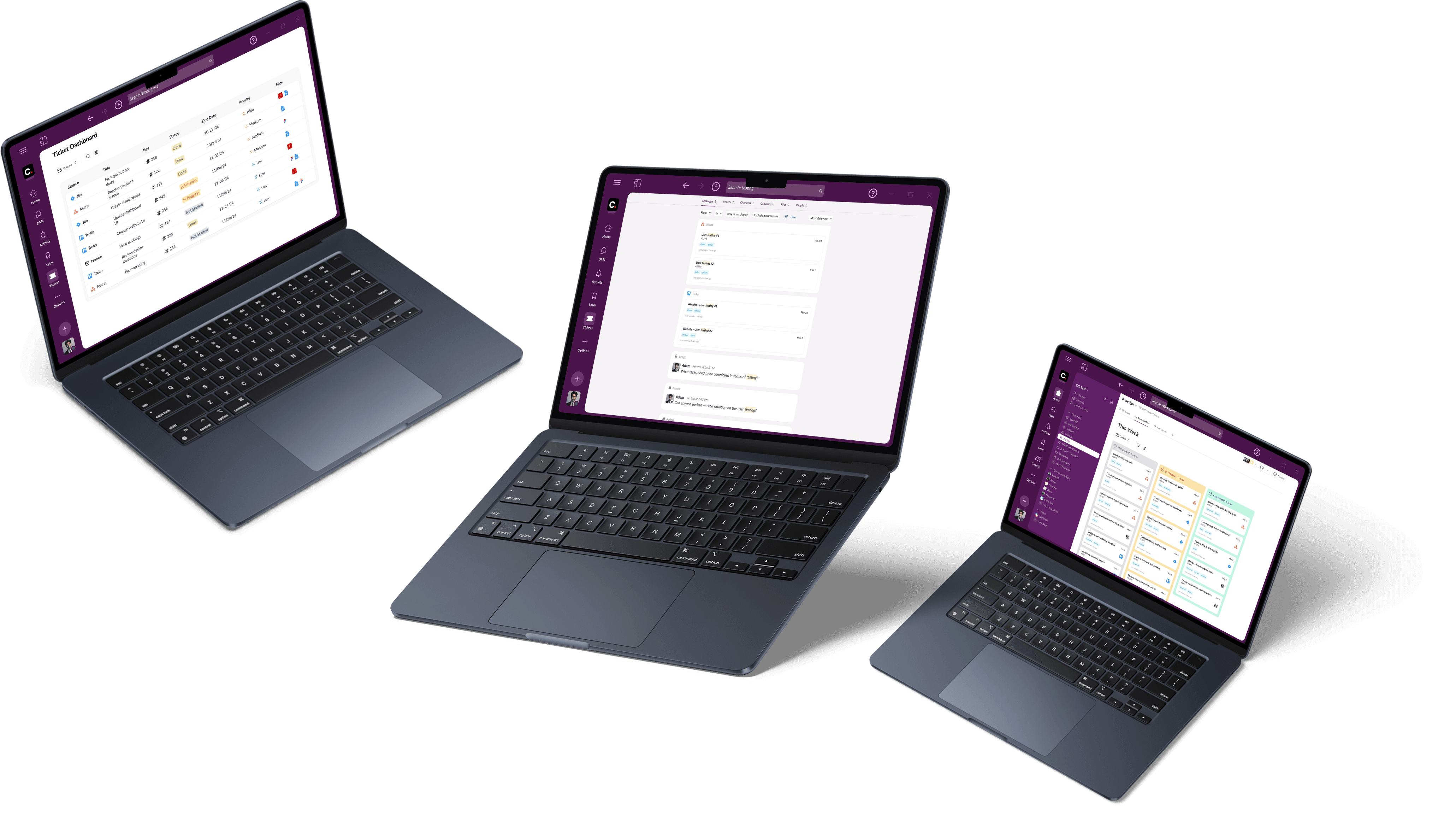
We designed a centralized task management system within Slack that seamlessly integrates with leading project management tools, unifying tickets from platforms like Asana, Jira, and Trello into one streamlined dashboard. This dashboard serves as a reliable source of truth for tracking ticket statuses, ensuring greater visibility and alignment across teams. Additionally, we implemented Slack-native command shortcuts, enabling users to assign, update, and reference tickets directly within conversations and channels. By embedding task management into work communication, our solution reduces context switching and streamlines workflows, enhancing team productivity and collaboration.
Research
User Research
We conducted structured remote interviews with product managers from Census and Vimeo to gain deeper insights into their task management challenges. Our user research focused on identifying workflow inefficiencies, software dependencies, and pain points in existing task management systems.
Competitive Analysis
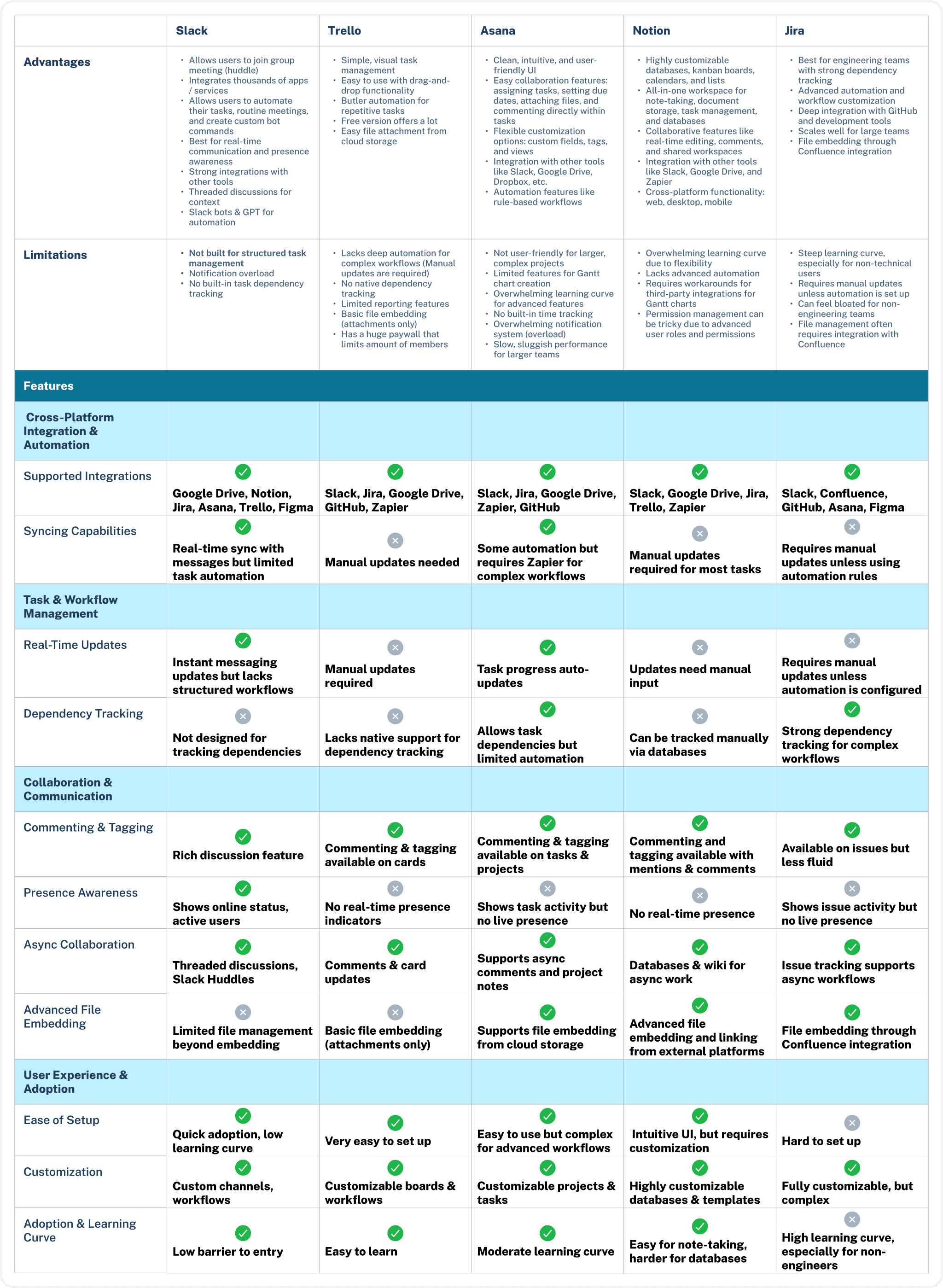
In parallel with our research, we conducted a competitive analysis of Asana, Jira, Notion, Slack, and Trello to evaluate their strengths, limitations, and integration capabilities. This analysis enabled us to identify gaps in existing task management solutions and informed our approach to designing a more seamless and efficient workflow within Slack.
Key Findings
Many task management tools require users to manually update task statuses, leading to inefficiencies and inadequate time management.
Tasks are scattered across multiple platforms without a unified source of truth, causing alignment challenges.
Teams struggle with miscommunication due to the lack of centralized task tracking and real-time updates.
Existing tools do not fully integrate with Slack, making it difficult to manage and update tasks within ongoing team conversations.
Ideation & Concept Development
Brainstorming
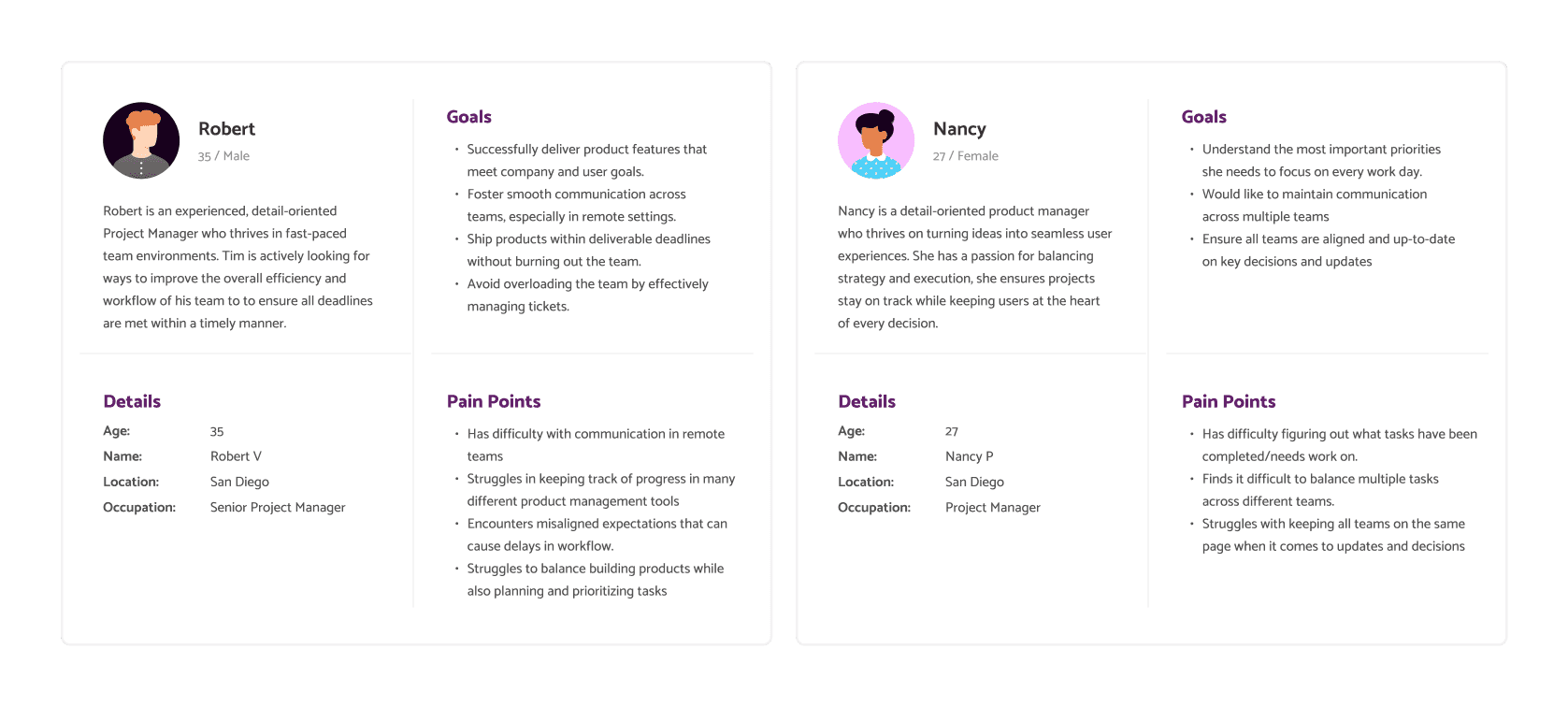
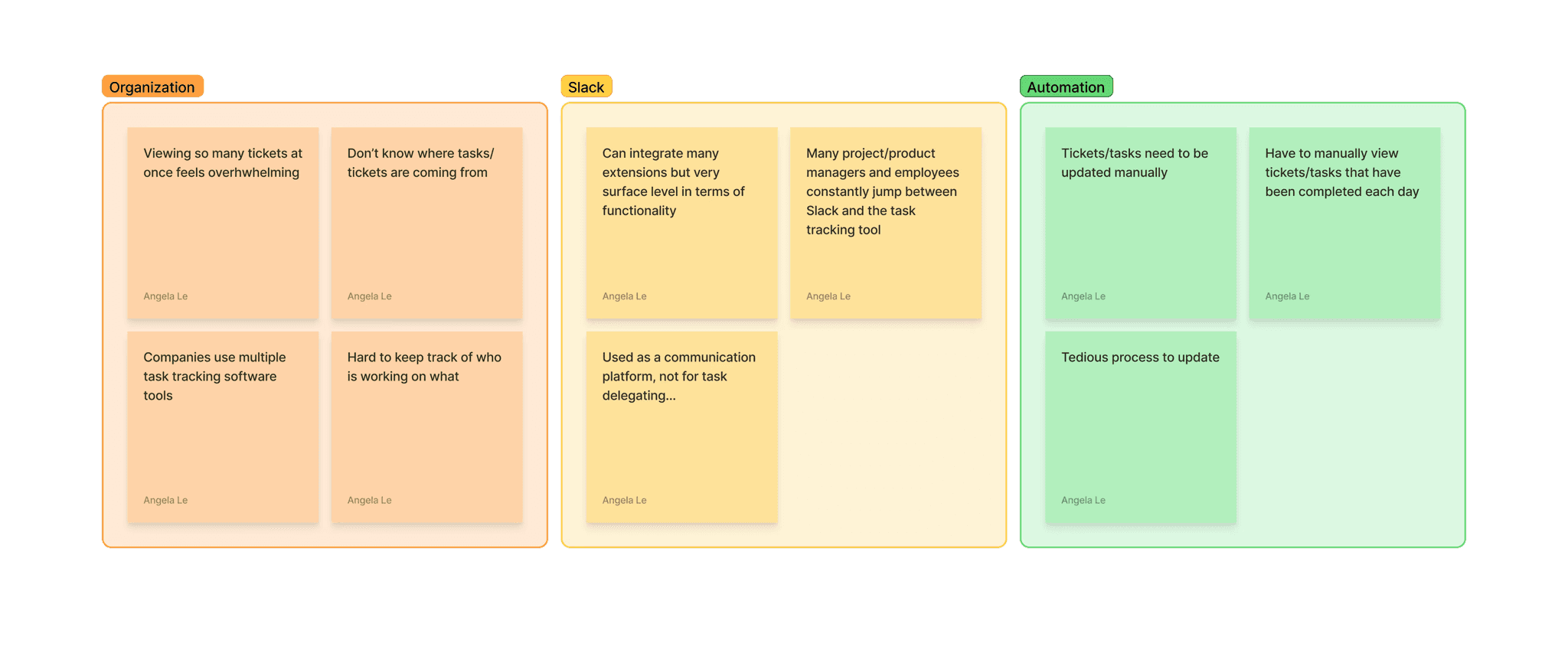
Something we wanted to clarify and establish early in the project was the misconception that our goal is to replace these task management tools. Our goal is to find design solutions that would help bridge the gap between existing task management tools and users through Slack. Therefore, during our brainstorming phase, we created personas to identify pain points and utilized affinity mapping to explore different ways to integrate task management into Slack while ensuring minimal disruption to existing workflows.
Sketches
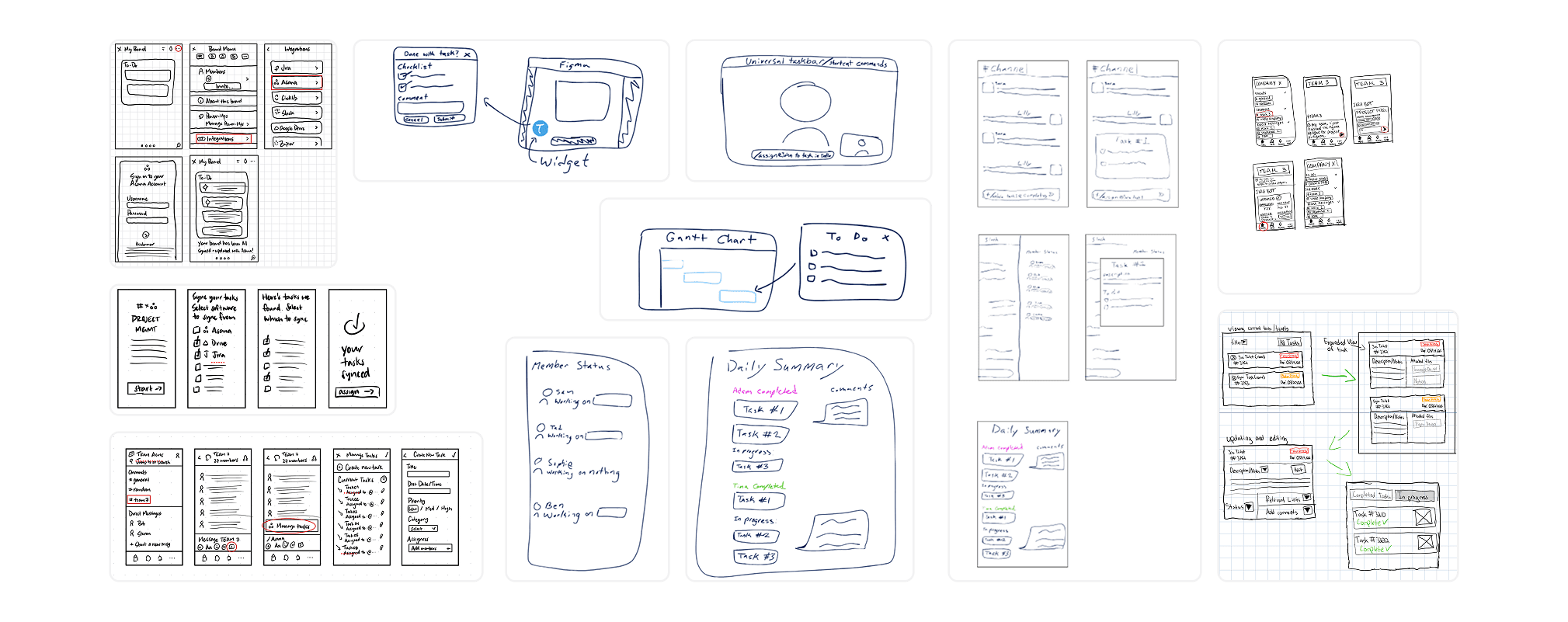
We took our ideas to FigJam, where we did our initial UX flows on potential design solutions. Then, we brought these ideas to life by creating sketches of several task management integrations. These early design concepts began as widgets and mobile interfaces before we steered towards the direction of utilizing existing features native to Slack.
Low-Fidelity Wireframes/Prototypes
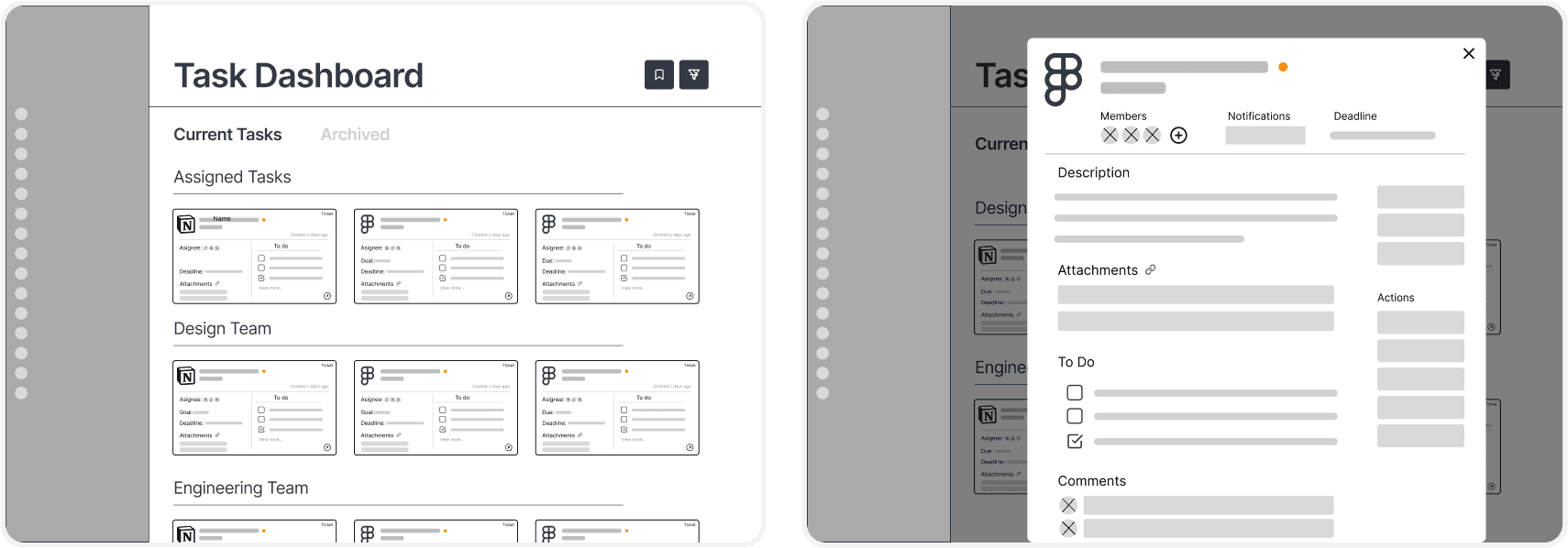
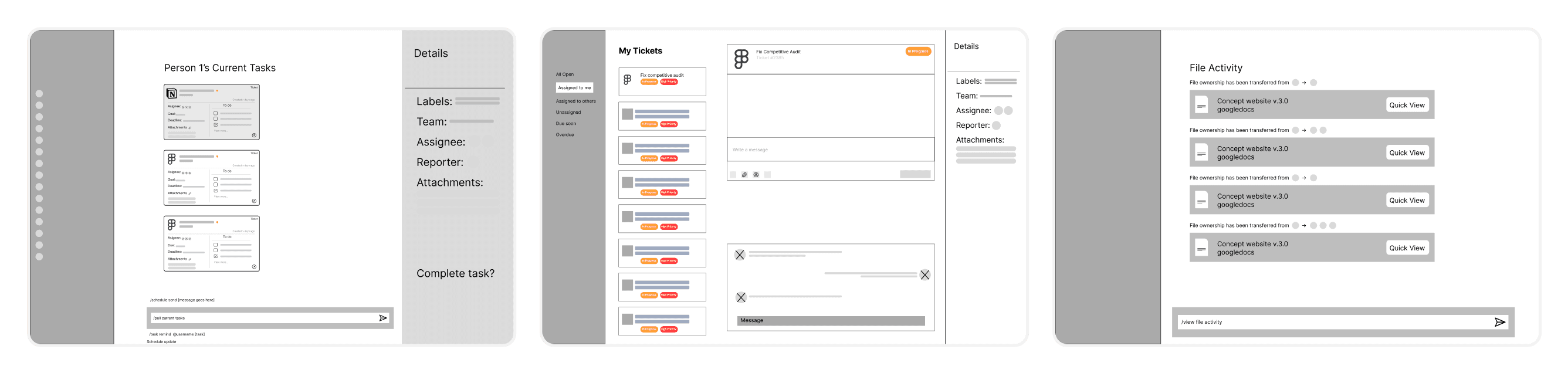
We translated our sketches into low-fidelity wireframes/prototypes, which we tested with our stakeholders to gather valuable feedback. We decided to focus on integrating a task dashboard (which would later be called ticket dashboard) and shortcut commands into Slack. At this stage, we compromised on designing for desktop and adhered to one general user flow:
Ticket Dashboard + Viewing Ticket
Shortcut Commands
Initial Feedback
Initial feedback consisted of several key preferences:
Preferred a table-based dashboard layout over a card-based one for better organization.
Integrating a Kanban board into Slack channels
Shortcut commands were highly appreciated for enabling quick task updates.
Design
User Flow
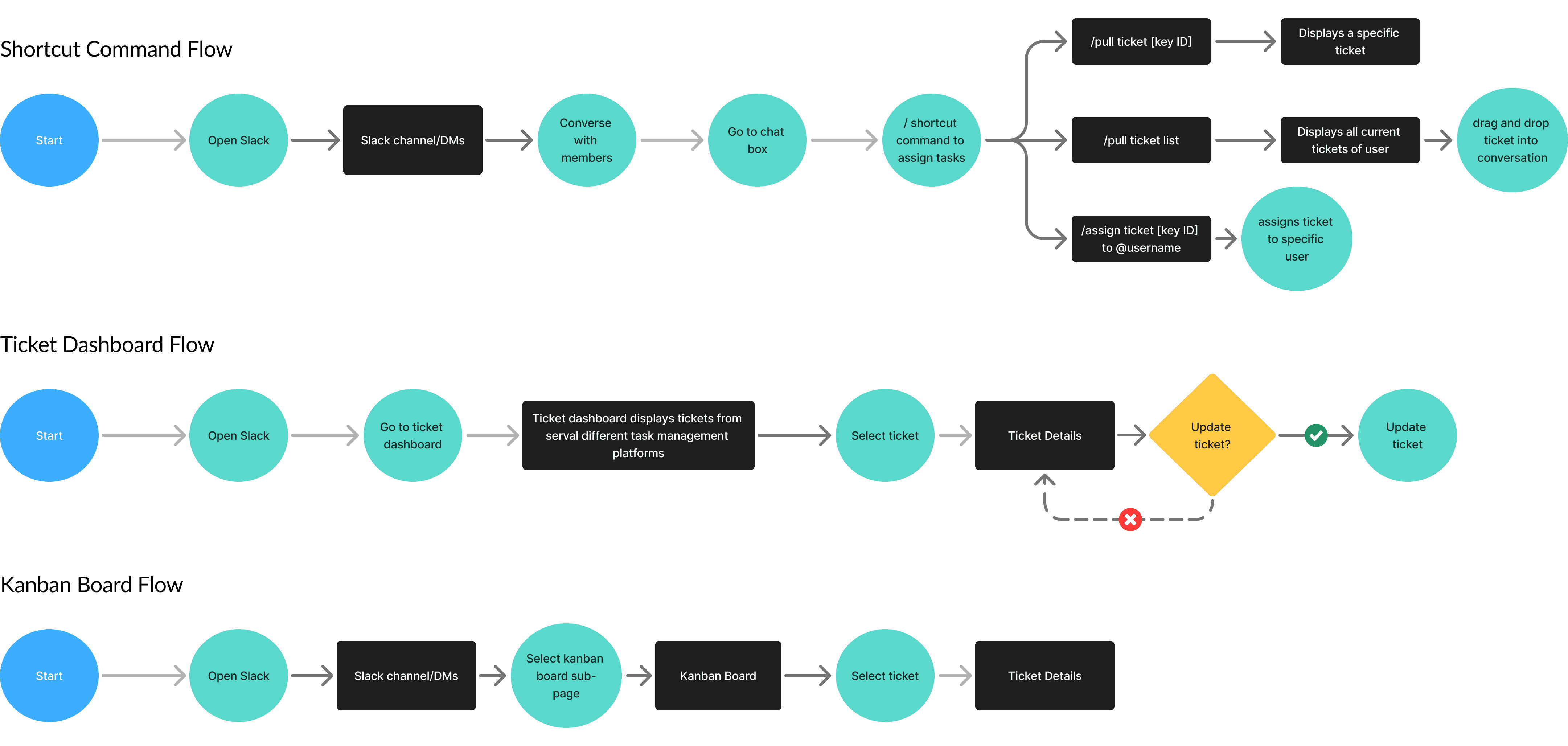
We defined several key user flows as we began creating high-fidelity prototypes:
Flow 1: Viewing Individual Tickets from the Ticket Dashboard
Flow 2: Shortcut Commands in Slack channels and DMs
Flow 3: Viewing a Kanban Board in Specific Slack Channels
High-Fidelity Prototypes
Our high-fidelity prototypes consider the initial feedback we received on our low-fidelity prototypes, with shortcut commands as our key feature of interest. In designing the Kanban layout, we decided that a weekly ticket display would be more effective, with the layout residing within team-specific channels rather than being part of the main table-based dashboard view.

Secondary Feedback
Secondary feedback consisted of several key preferences:
A design more aligned with Slack's native UI.
An integration of Slack's visual and interaction patterns, including universal search, to improve usability and accessibility.
Improvements to the functionality of updating tickets via shortcut commands for better intuition and consistency.
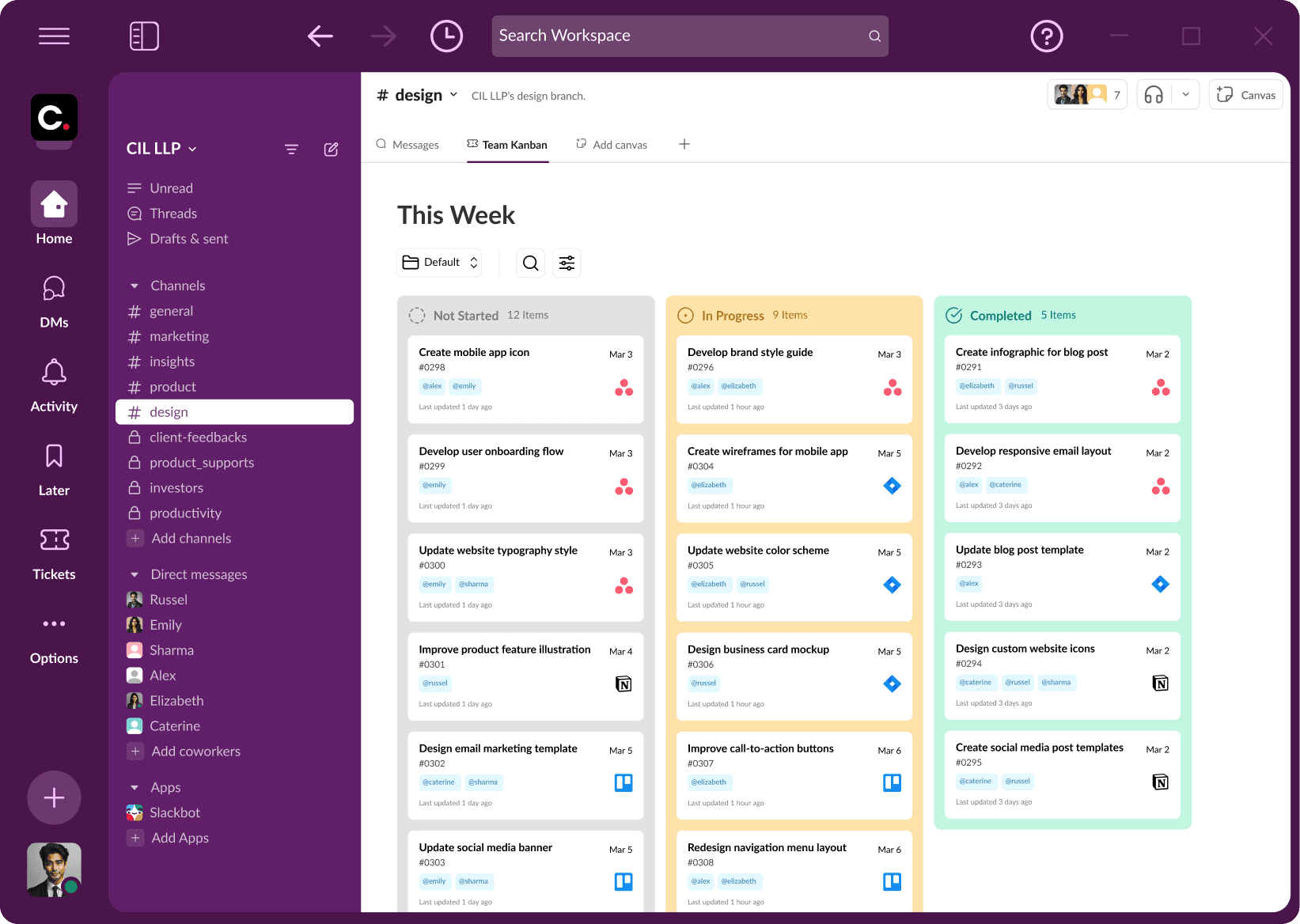
Team Kanbans in team-based channels were highly appreciated.
Final Designs
Our final design incorporates the secondary feedback we received on our high-fidelity prototypes, ensuring a more refined and user-centered solution. Drawing inspiration from Salesforce’s Slack integrations to ensure a familiar and intuitive experience, we worked carefully to refine our UI for seamless integration within Slack, making task management more familiarly accessible without disrupting existing workflows. By mirroring Slack’s interaction patterns and visual language, we addressed concerns about usability and ensured that users could easily navigate the system without a steep learning curve.
Key Features
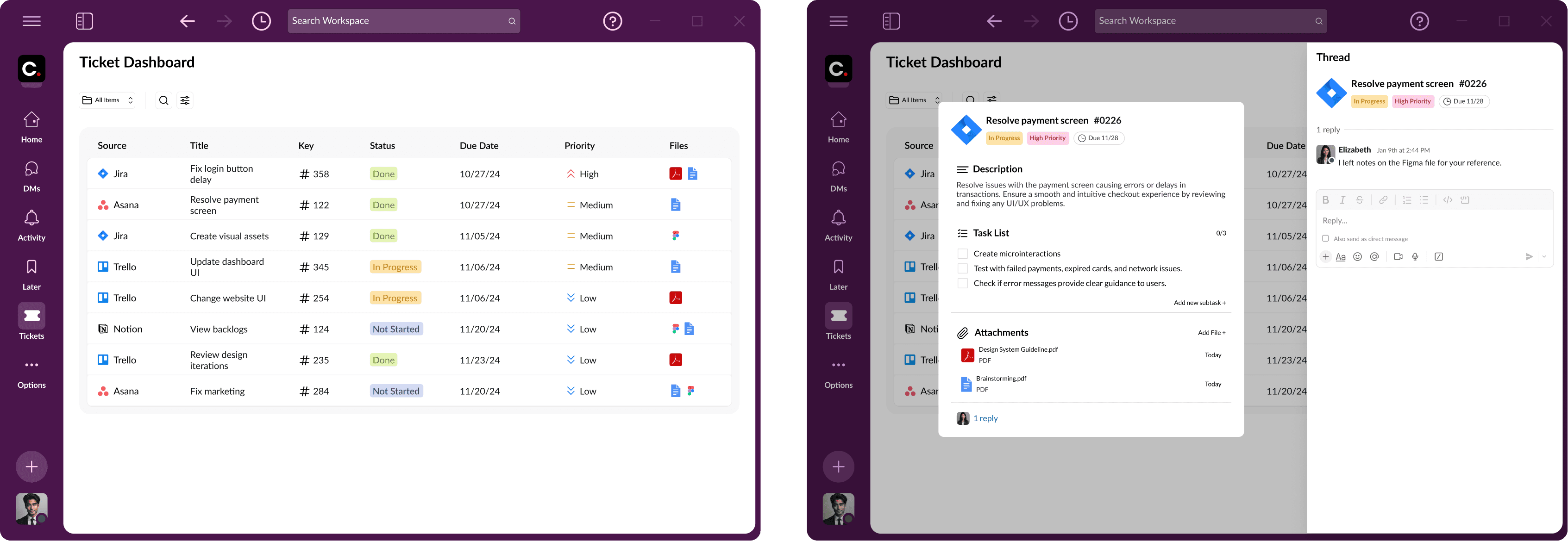
Centralized Ticket Dashboard
Team Kanbans in Team-Specific Channels
Ticket Dashboard in Direct Messages
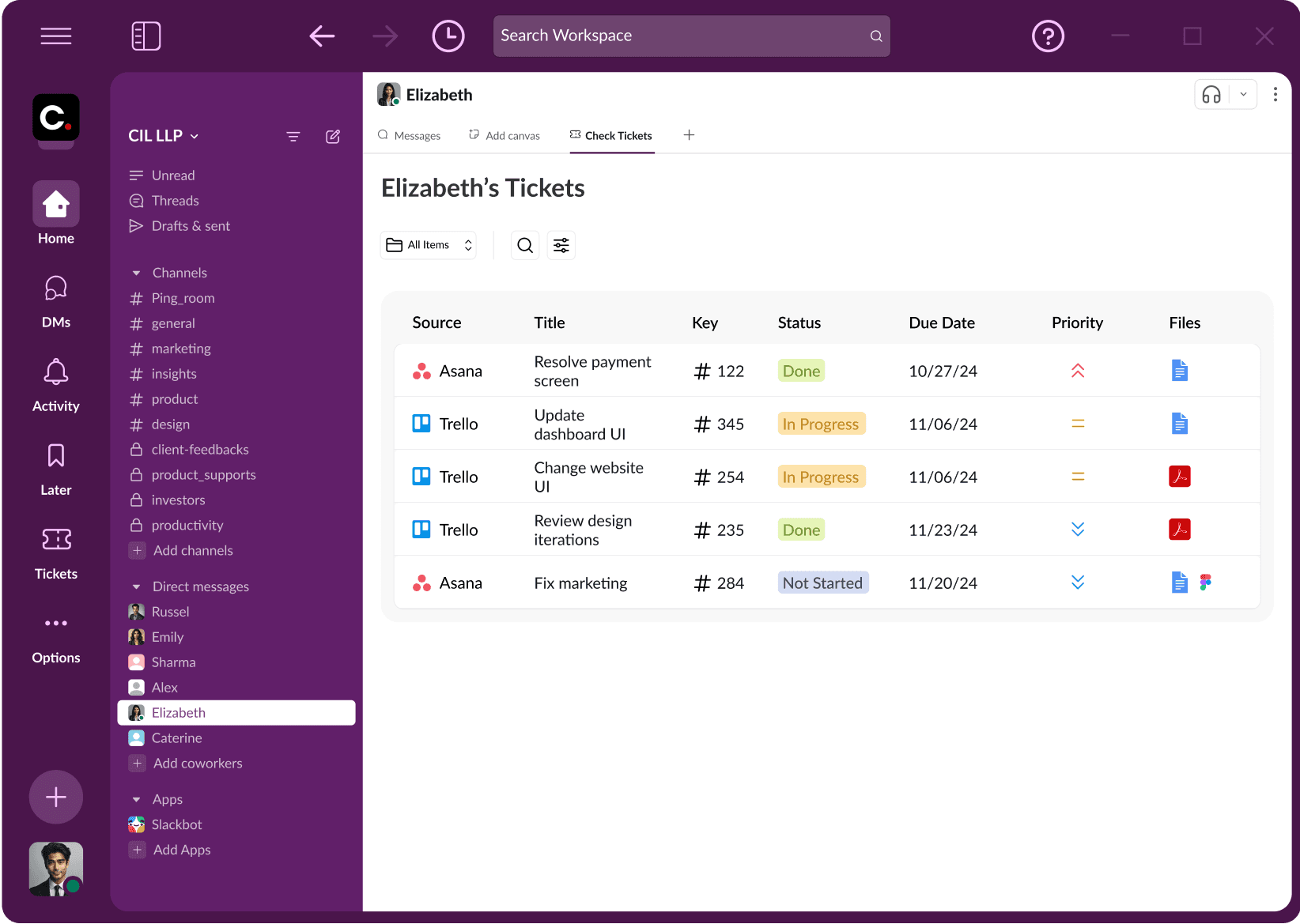
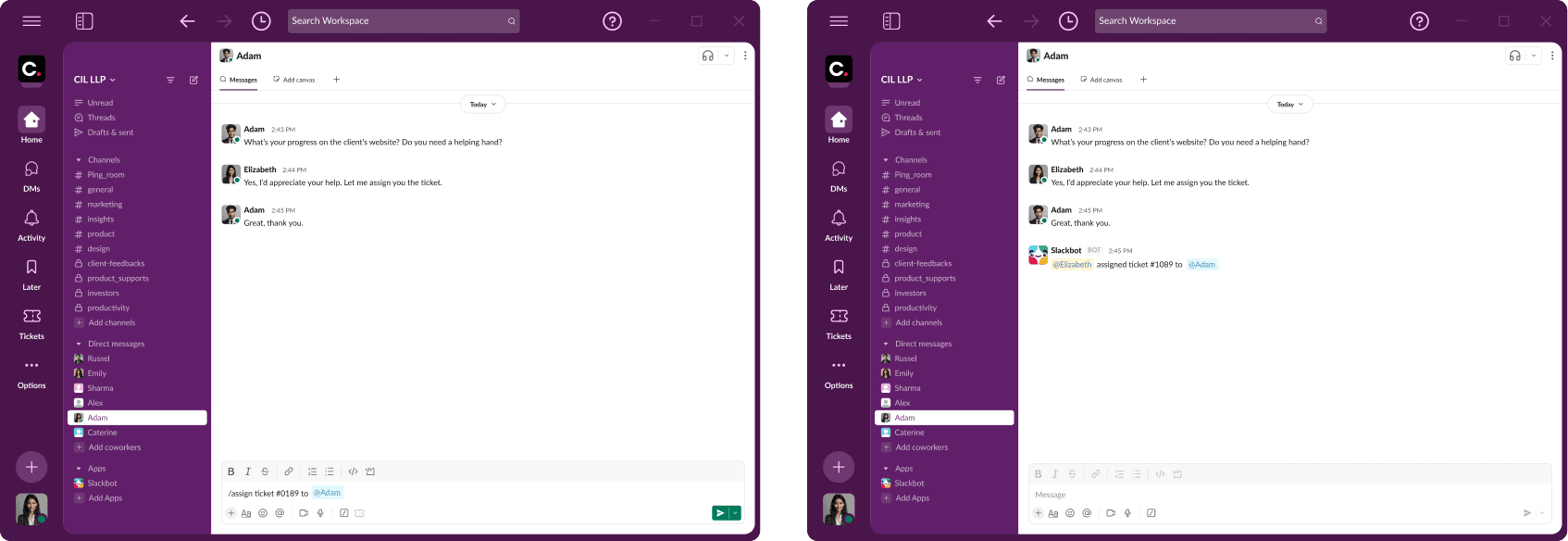
Shortcut Commands
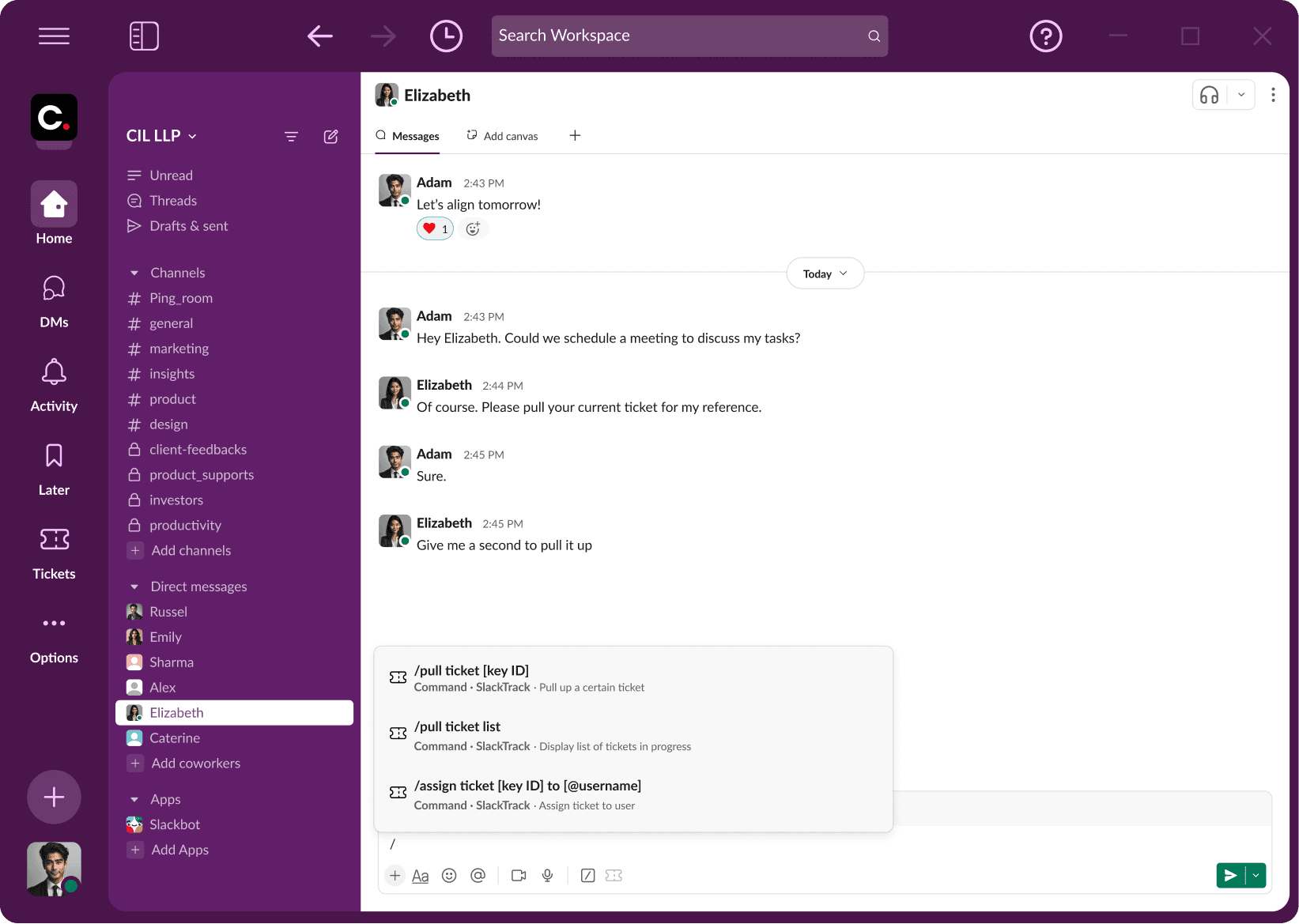
Pulling a Specific Ticket
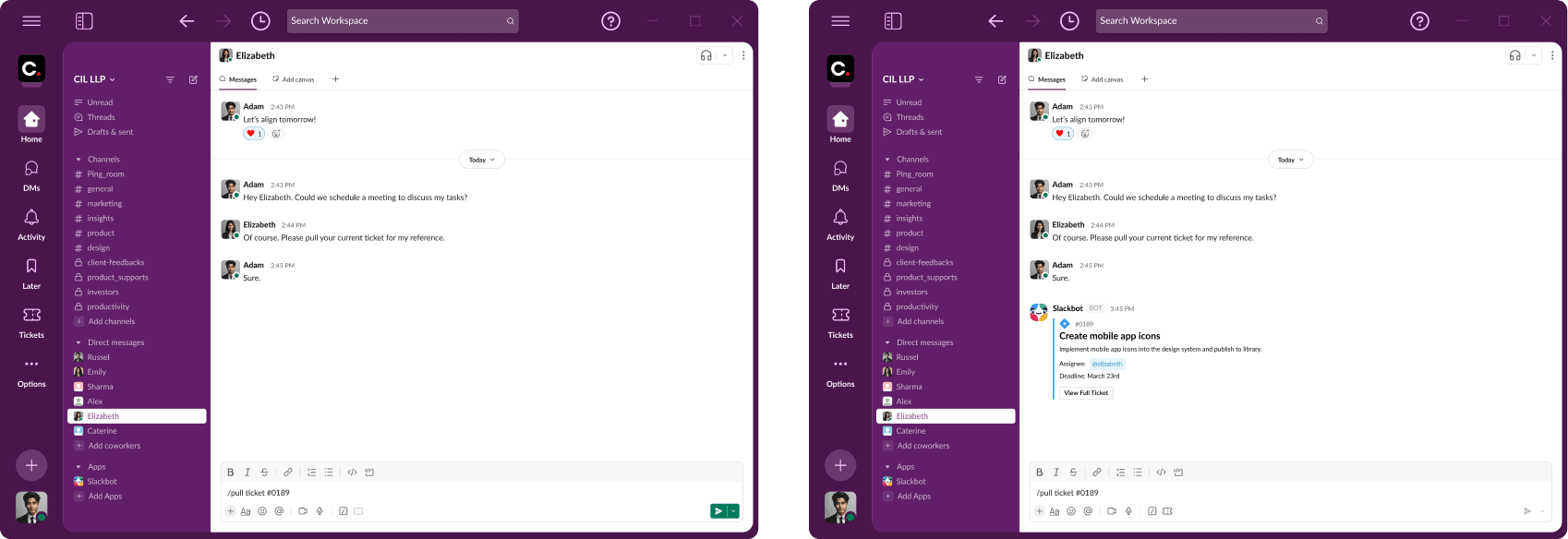
Pulling a List of Current Tickets
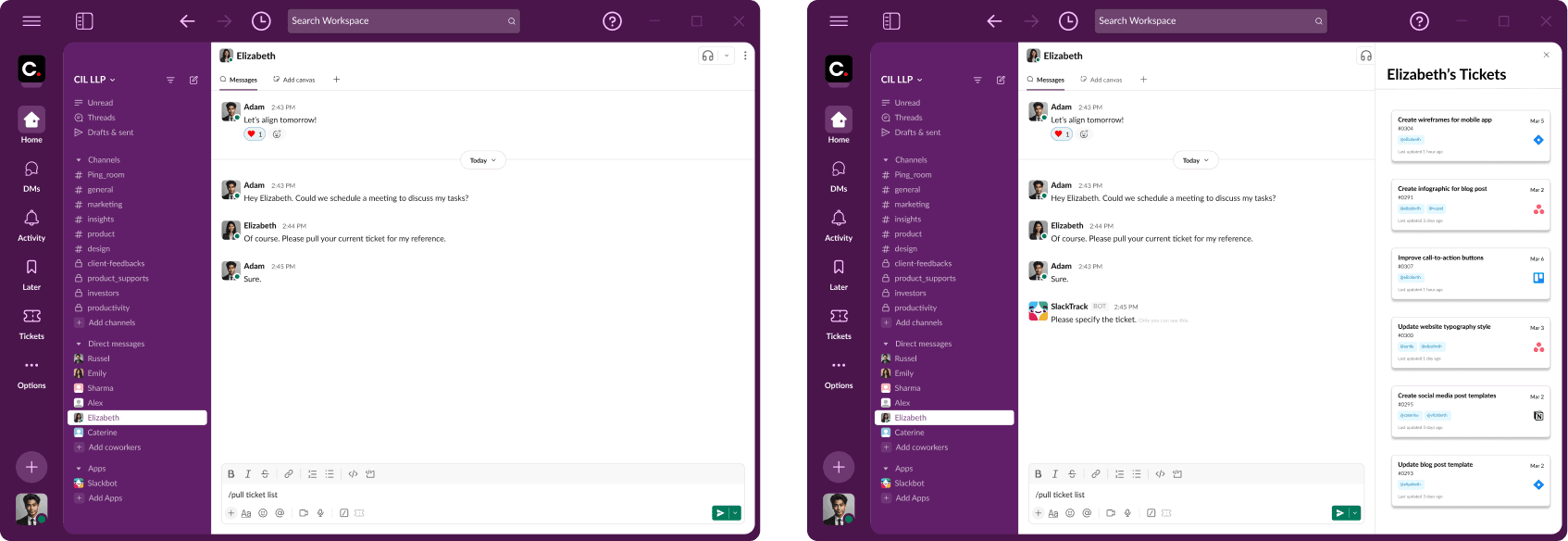
Assigning Ticket to Specific User
Ticket Integration in Universal Search

Results & Impact
Our final refinements focused on seamlessly integrating task management into Slack’s native UI, creating a more intuitive and efficient user experience. By embedding task tracking directly into team-specific channels, we provided a centralized source of truth where product managers can easily access, assign, and update tasks without leaving their conversations. The implementation of a structured ticket dashboard and shortcut commands ensures that weekly priorities and ticket statuses remain visible in real time, reducing the need to switch between platforms. SlackTrack enhances collaboration, keeps teams aligned, and streamlines workflow management — all within Slack.
Conclusion
What We Learned
Throughout the project course, we learned two valuable lessons:
Balancing structure and flexibility is critical for ensuring seamless integration. We enhanced usability by allowing users to effortlessly tailor the system to fit their unique workflows.
Users prefer familiarity in pre-existing UI. Aligning our design with existing workflows enables users to quickly adopt the new system.
Utilizing an app's existing features to come up with creative and intuitive design solutions to meet users' needs.
A Wrap-Up
SlackTrack effectively tackles the challenges of scattered task management by providing seamless task-tracking solutions directly within Slack, serving as a centralized source of truth for project management. Through extensive user research, competitive analysis, and iterative prototyping, we identified key areas for improvement and significantly streamlined team workflows.
Next Steps
Looking ahead, future iterations could prioritize real-world testing and additional refinements to optimize SlackTrack's efficiency and usability. The next steps include:
Conducting additional user testing to address any remaining pain points.
Further exploring Slack-native features to enhance functionality.
Evaluating the potential for expanding the integration's functionality with other workplace communication tools.