Project Overview
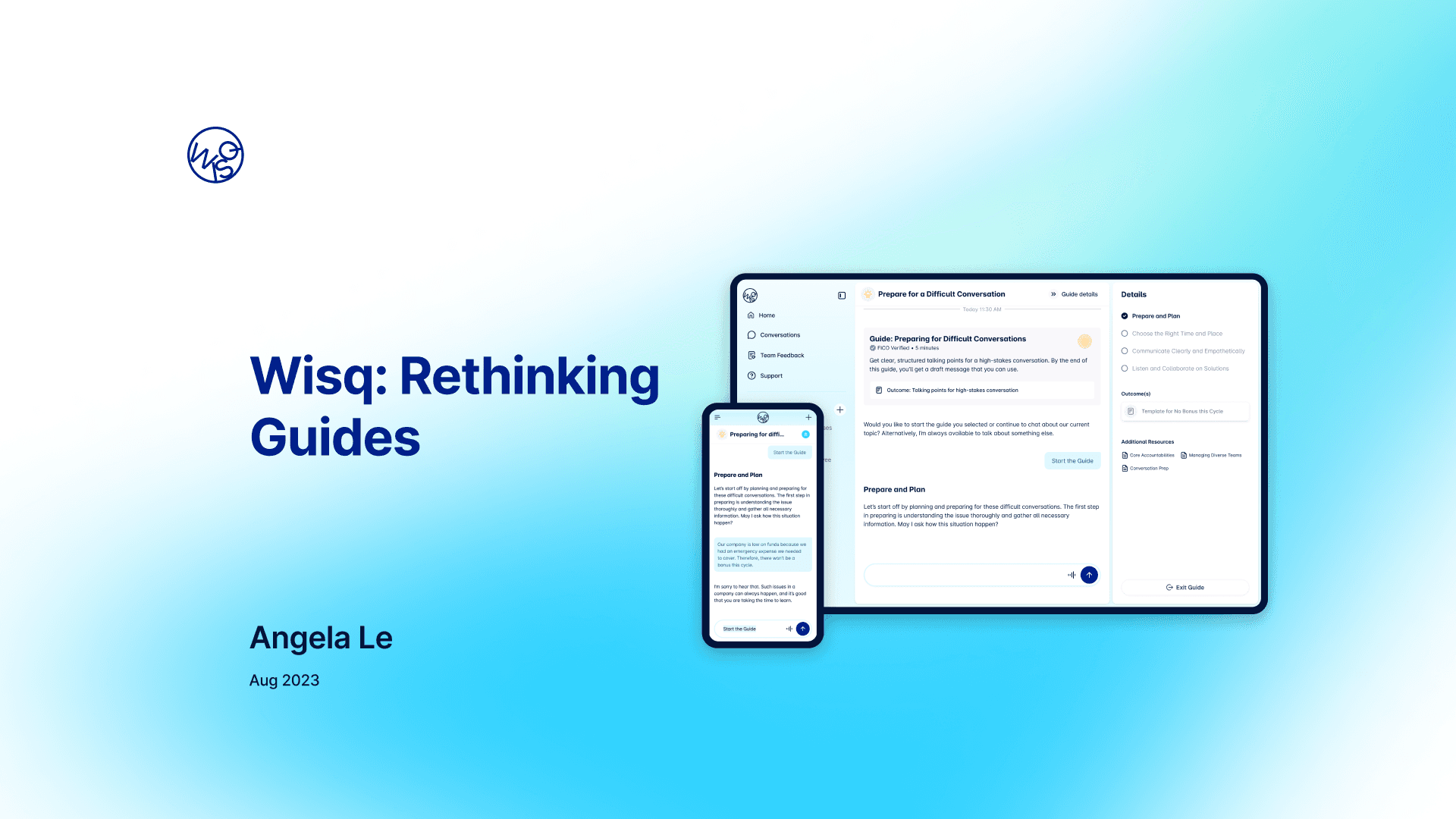
For my last project during my Wisq internship, I was tasked with exploring and improving the user experience for Guides.
Problem
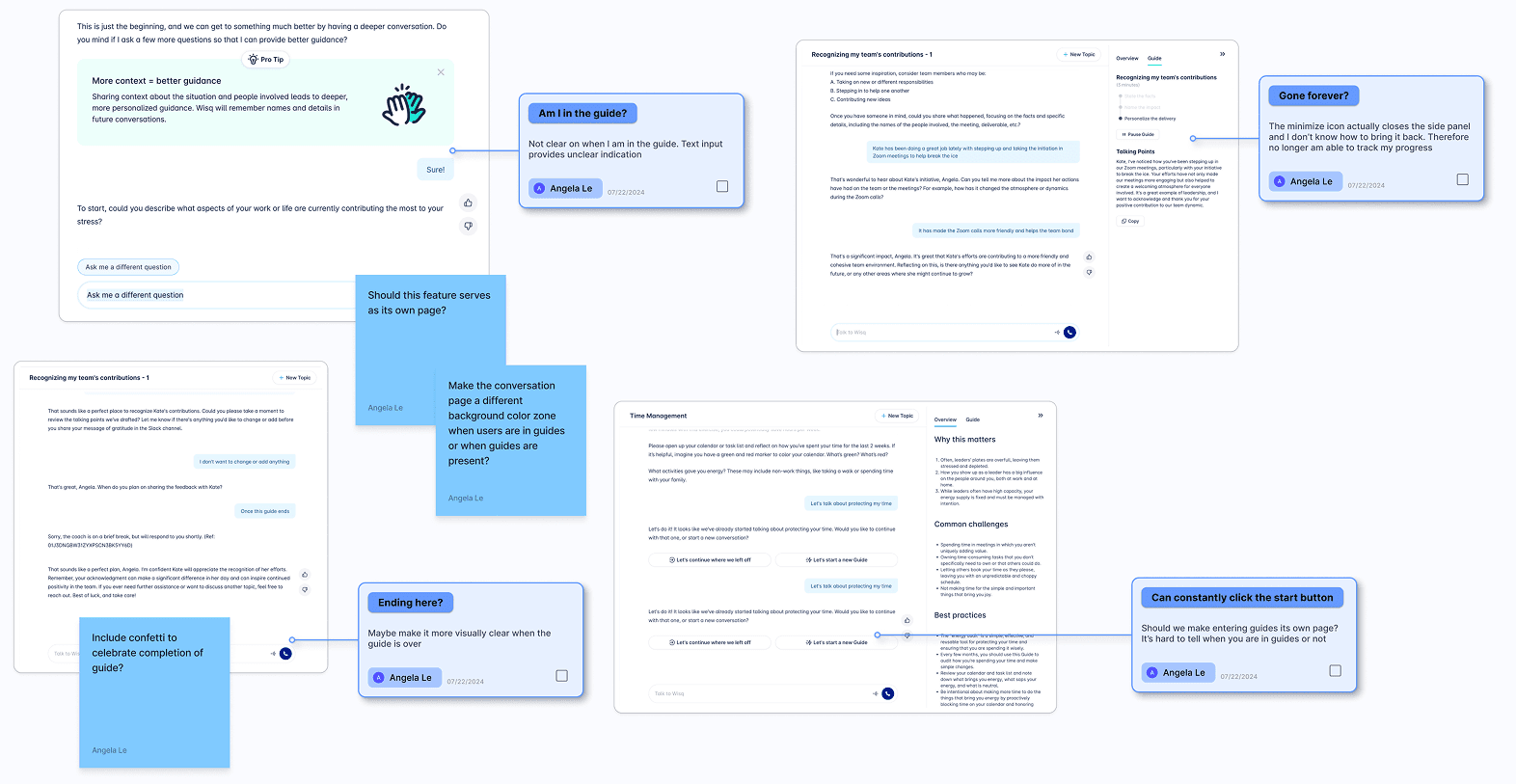
Through user observations and internal feedback, we identified three core problems affecting the usability and effectiveness of Wisq’s Guides.
Problem #1: Difficulty Accessing Guides
Users had trouble locating and entering Guides easily. Entry points were not intuitive, limiting engagement and decreasing the likelihood that users would complete these useful support tools.
Problem #2: Lack of Visual Cues
Once inside a Guide, users often felt disoriented. The interface lacked clear visual indicators signaling that users were in a guided experience, which made the flow feel disconnected and less immersive. Users also experience difficulty discovering how to leave a Guide.
Problem #3: Unclear Outcomes
Guides do not effectively communicate their purpose or value, or provide any clear outcomes. Users could not easily understand what they would gain from completing a Guide, leading to low motivation and early drop-off rates.
Solution
After analyzing these issues, I established three key goals for the redesign to create a clearer, more engaging experience.
Make Guides more accessible
I designed multiple, intuitive entry points to Guides, improving discoverability. I also clarified the entry and exit processes, helping users confidently start and complete a Guide without feeling lost.
Make Guides more immersive
To create a more engaging experience, I incorporated visual elements that reinforce when a user is inside a Guide, such as progress indicators, headers, and distinct layouts. These cues make the experience feel intentional and guided.
Communicate Clear Outcomes
I introduced upfront messaging that outlines the purpose, expected outcomes, and benefits of each Guide. This motivational framing helps set expectations early and encourages users to commit to completing the experience.
Final Designs
Our final redesign of Wisq Guides focused on three major improvements: making entry points more accessible, enhancing immersion with stronger visual cues, and communicating clear outcomes to users.
Guide Entry Points
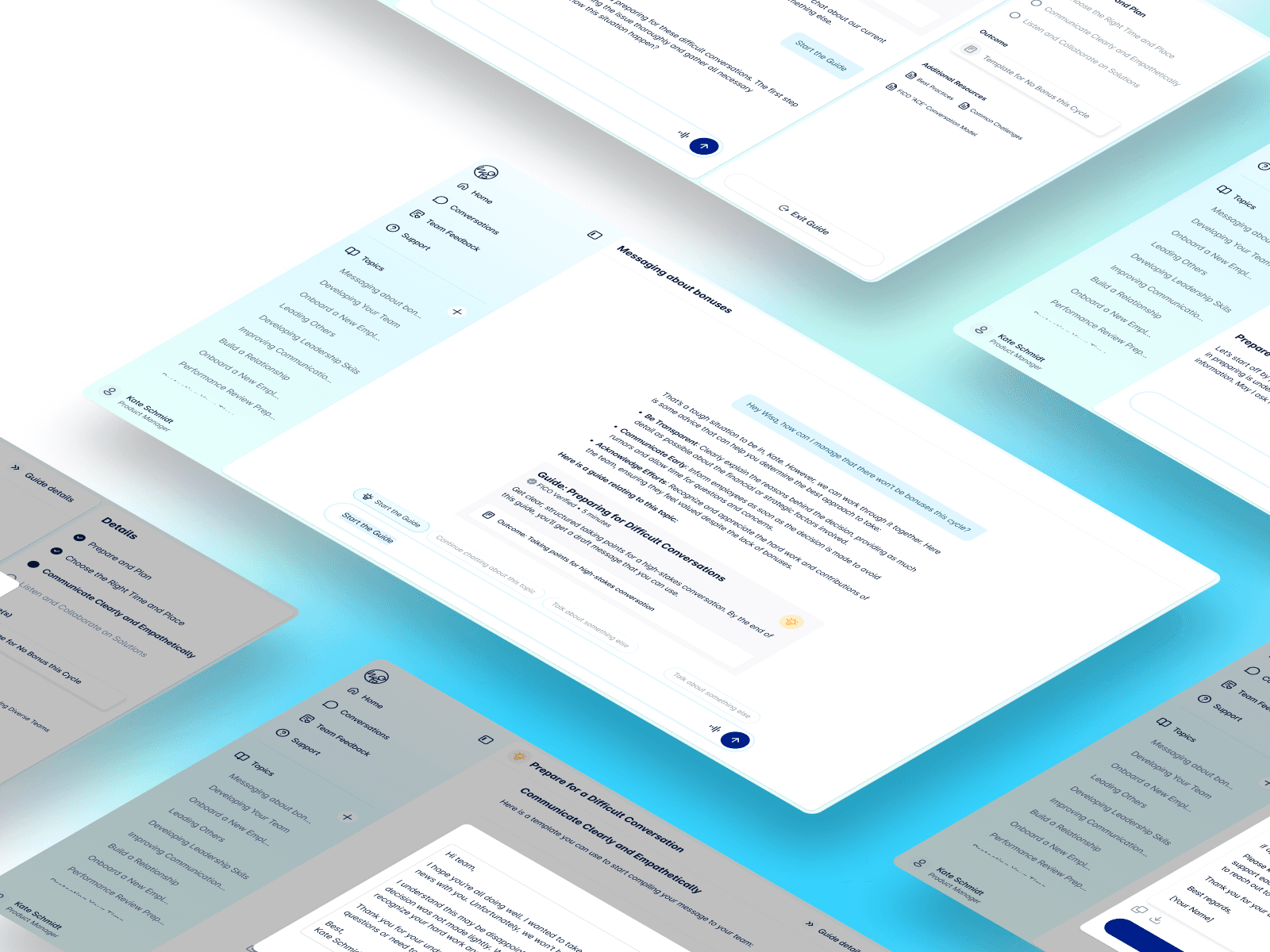
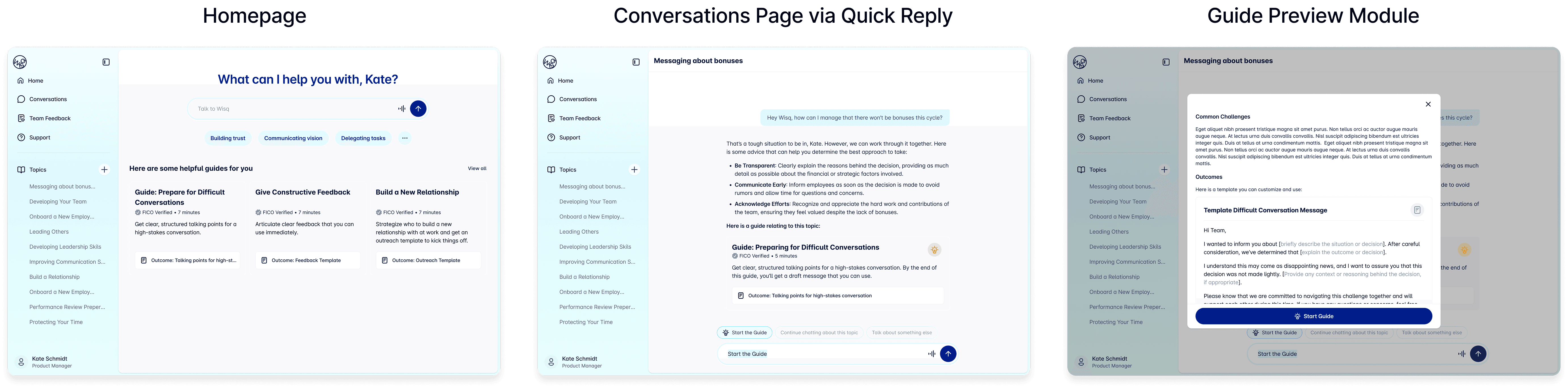
To make Guides more accessible, I introduced three entry points for users to seamlessly join a Guide. Users can now access Guides directly from the homepage, encounter call-to-action (CTA) buttons during AI conversations, or discover Guide cards naturally embedded within conversations. This multi-pathway approach ensures that Guides feel integrated into the broader user experience rather than siloed, making them easier to find based on different user needs and workflows.
Visual Cues
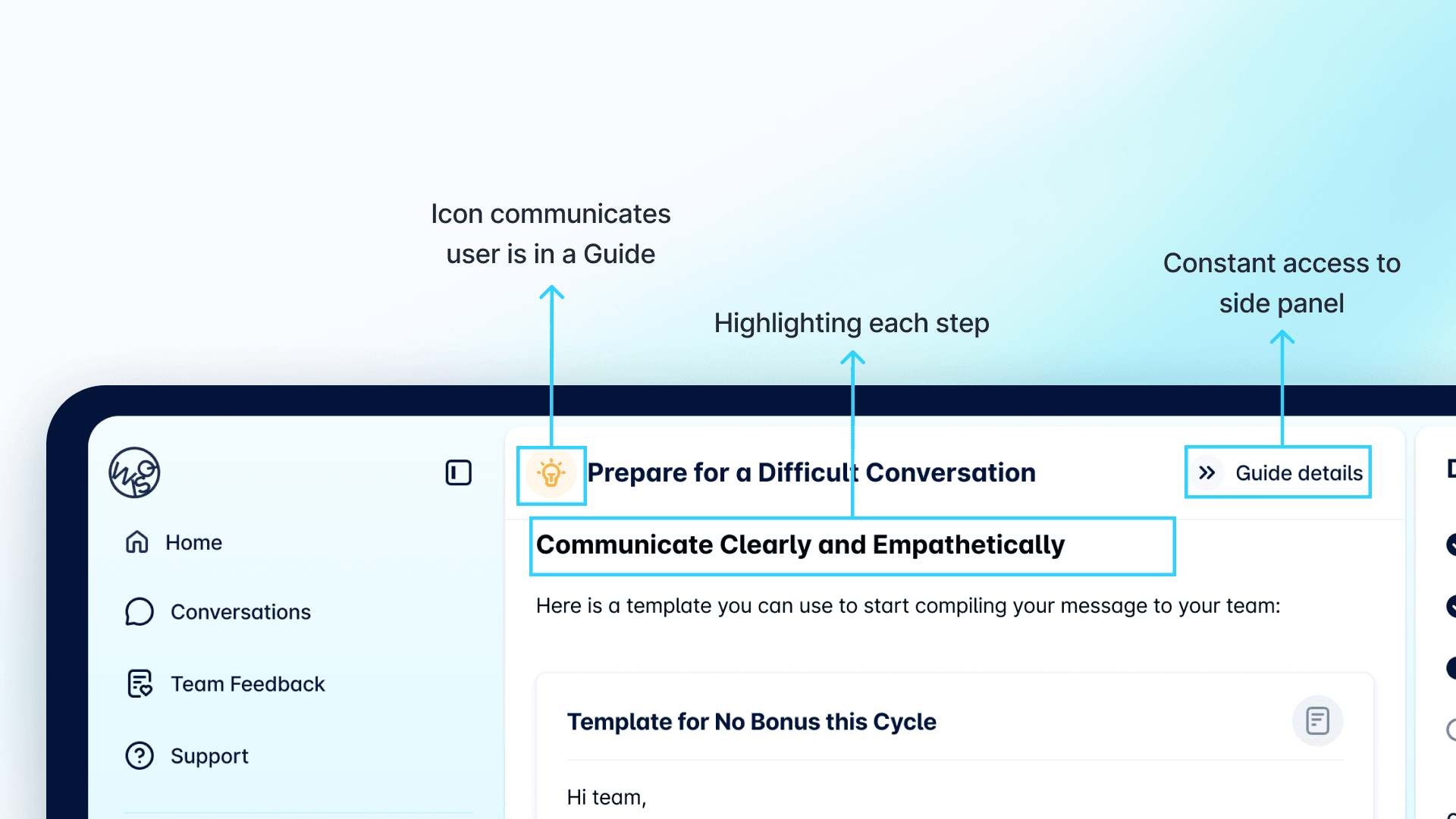
Once users entered a Guide, it was critical that they felt anchored within the experience. I designed a persistent icon to give users constant access to the Guide side panel, ensuring they never felt lost. Steps within the Guide are now introduced with bolded, enlarged text, providing clear visual reinforcement of progress. Near the topic title, an additional icon signals that the user is in a guided workflow, creating a subtle but continuous sense of immersion.
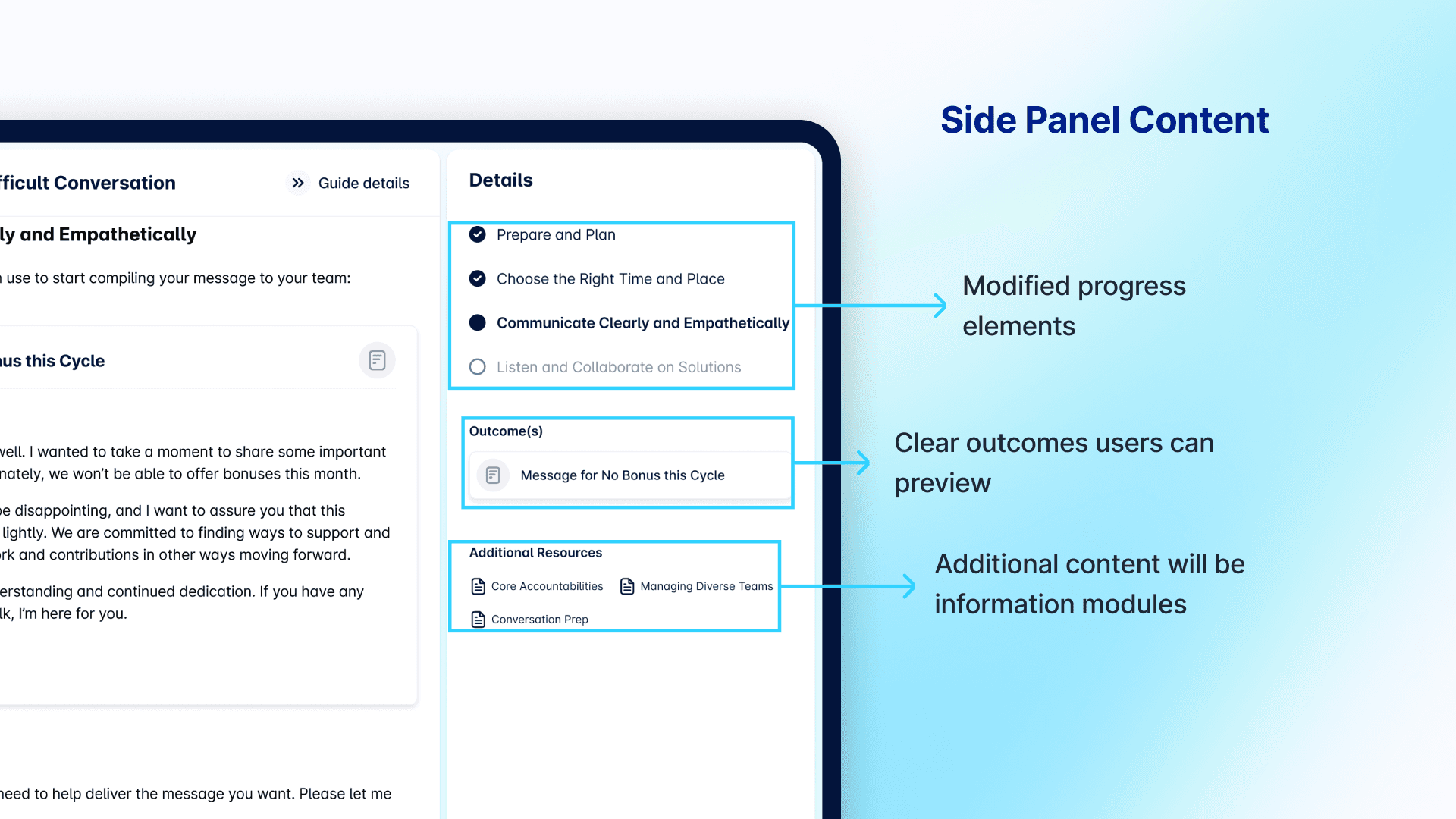
I also reimagined the side panel itself, structuring it to clearly show the user’s current step, upcoming steps, and the final outcome they could look forward to, along with additional resources to explore if needed. Together, these visual and structural changes created a smoother, more reassuring journey through each Guide.
Outcome Cards
Finally, to communicate clearer outcomes, I introduced outcome cards that allow users to preview what they will achieve before starting a Guide.
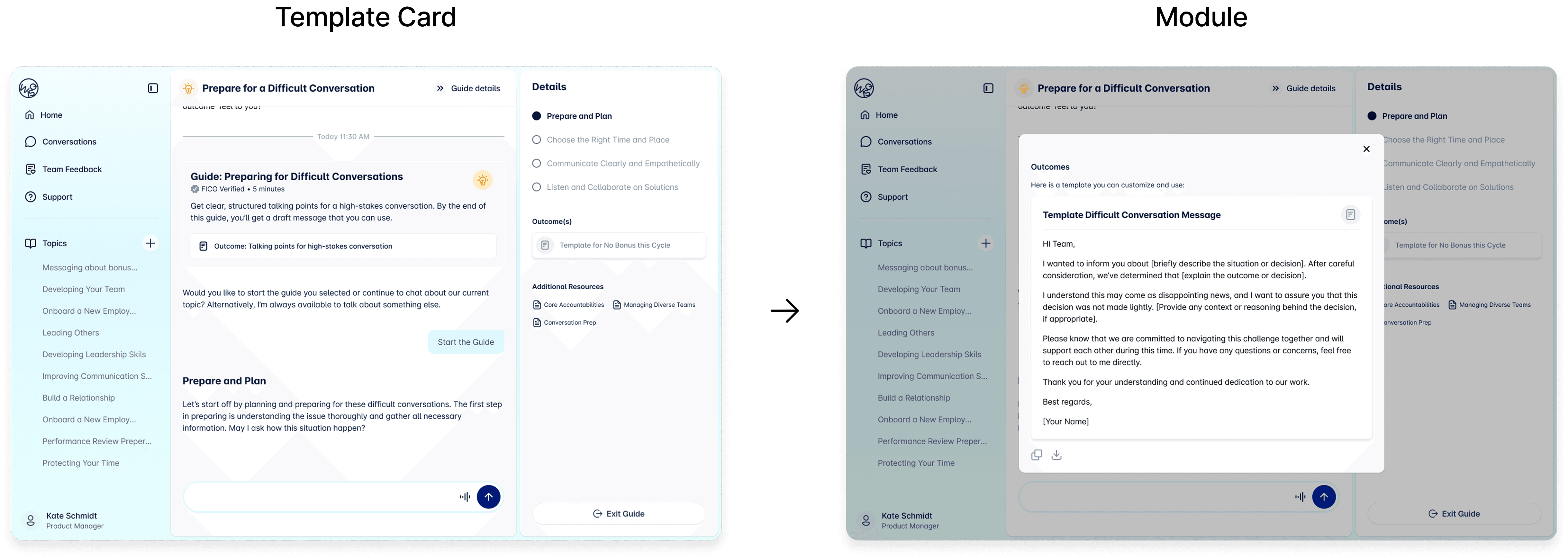
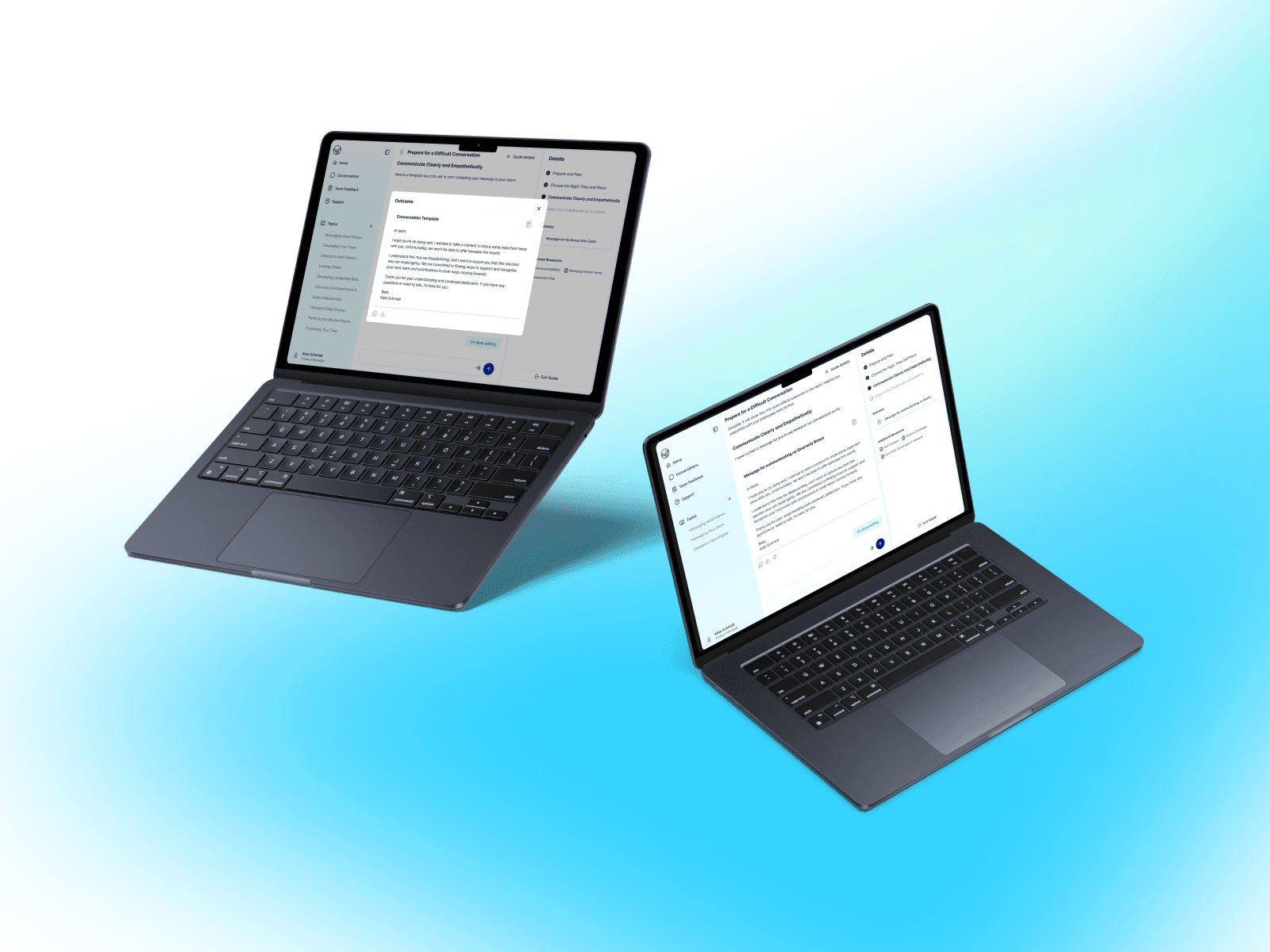
As users worked through deliverable steps, they could customize templates (such as editing a pre-written text document) to better fit their specific needs.
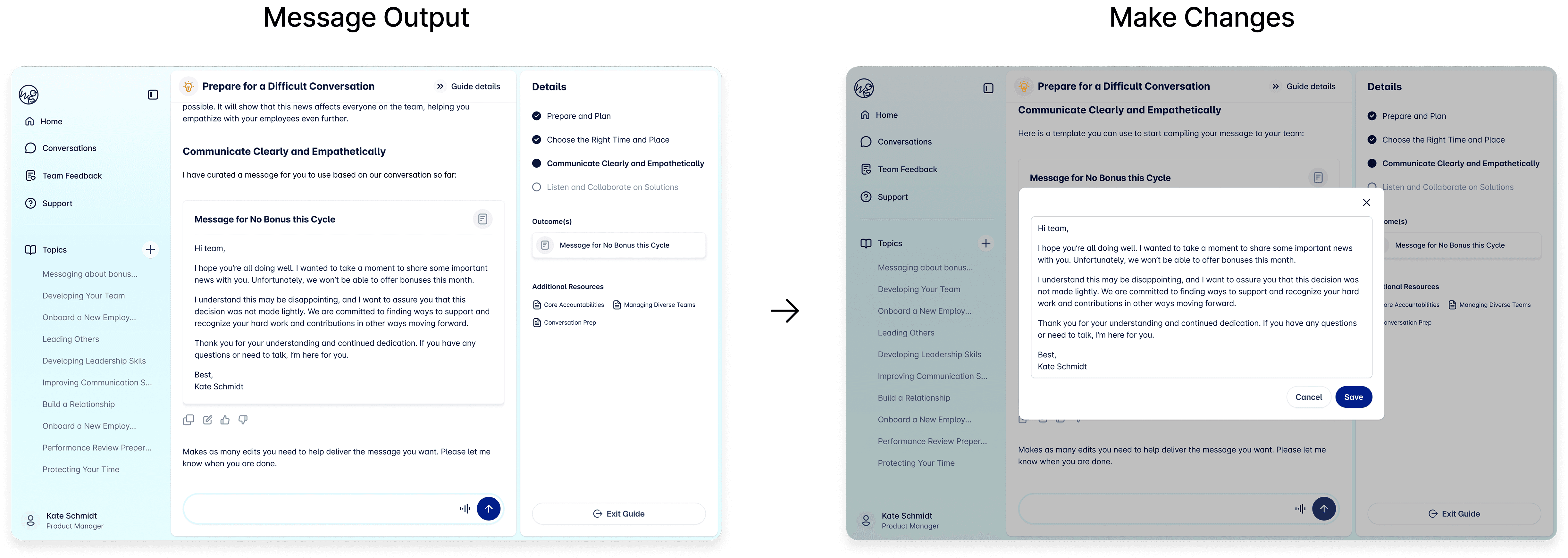
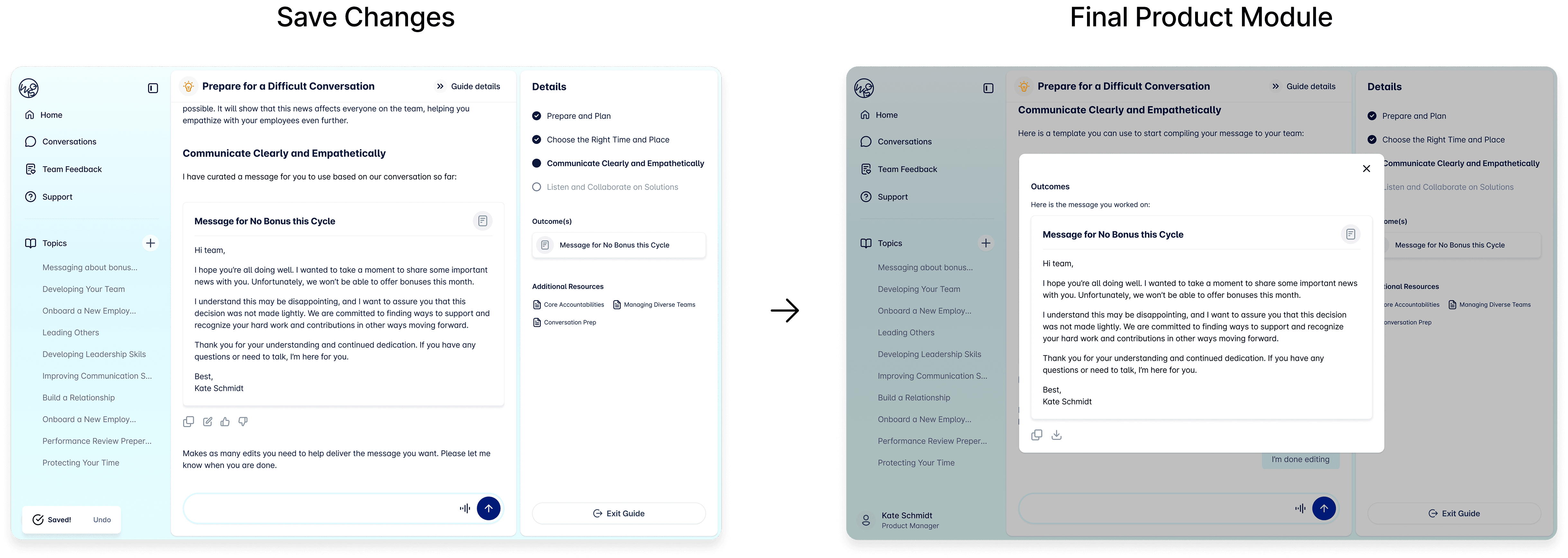
Upon completion, the customized deliverable is immediately available for export, giving users a real, usable product at the end of their journey and reinforcing that their time investment was worthwhile.
Next Steps
Exploring the future navigation of Wisq around guides:
Home Page
Guides Page
Side Menu
In addition, start designing different types of guides that we want users to interact with.